QoE and financial due diligence providers
Start the QoE with data that already ties, and no login to account for.
The first week of a QoE is often spent getting usable data: re-requesting periods, footing exports and waiting for access. FinShare delivers the full data set from QuickBooks Online, checked, without anyone on your team becoming a user in the client's books.
How it goes today
Getting the numbers shouldn't mean getting into their books.
Data requests drag
Monthly detail for 36 months, ledgers too large to export and agings as of the right date, each coming back separately.
User access has strings
A QuickBooks login for each engagement means credentials to manage, permissions to scope and an exit to remember.
You re-foot everything
Before analysis starts, someone checks that the exports add up and that nothing was dropped between files.
| Exports by email | A QuickBooks login | A FinShare request | |
|---|---|---|---|
| What you can see | Whatever they decide to send | Their whole accounting system: payroll, owner draws, every customer and vendor | Only the reports on the list they approved |
| What you can change | Nothing, though anyone can edit the file before it reaches you | Whatever the user role allows, often more than reports | Nothing. FinShare only reads reports |
| Can you trust the file? | Basis, dates and columns vary; cells can be typed over | Yes, if you export it yourself, correctly, every time | Checked against QuickBooks' totals before you see it |
| When it ends | Never starts, so it never ends | When someone remembers to remove you | On the date the owner approved, automatically |
| What you're holding | Spreadsheets of uncertain origin | Credentials to someone else's books | Files, with a record of who approved them |
- What you can see
Exports by emailWhatever they decide to send
A QuickBooks loginTheir whole accounting system: payroll, owner draws, every customer and vendor
A FinShare requestOnly the reports on the list they approved
- What you can change
Exports by emailNothing, though anyone can edit the file before it reaches you
A QuickBooks loginWhatever the user role allows, often more than reports
A FinShare requestNothing. FinShare only reads reports
- Can you trust the file?
Exports by emailBasis, dates and columns vary; cells can be typed over
A QuickBooks loginYes, if you export it yourself, correctly, every time
A FinShare requestChecked against QuickBooks' totals before you see it
- When it ends
Exports by emailNever starts, so it never ends
A QuickBooks loginWhen someone remembers to remove you
A FinShare requestOn the date the owner approved, automatically
- What you're holding
Exports by emailSpreadsheets of uncertain origin
A QuickBooks loginCredentials to someone else's books
A FinShare requestFiles, with a record of who approved them
With FinShare
The reports without the login.
The QoE package
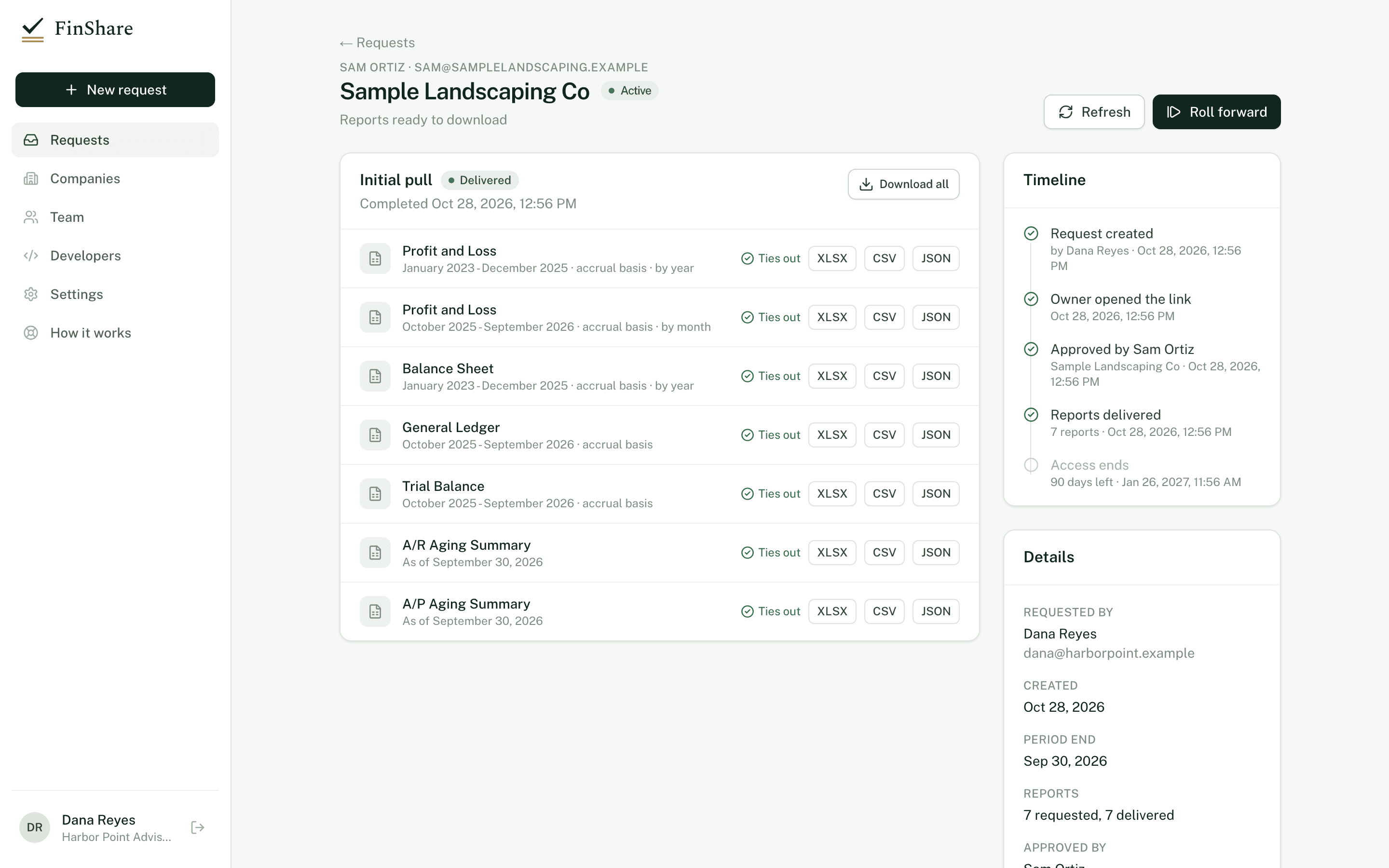
36 months of monthly P&L, balance sheets and cash flow, the general ledger, trial balance, aging detail and sales by customer.
Proof of cash, too
General ledger, P&L by month on both cash and accrual basis, monthly balance sheets and the cash flow statement.
Footed before you open it
Subtotals recomputed, accounting identities checked and the rendered file compared with the stored data.
Raw data on request
Every report keeps the raw QuickBooks response behind it, with the query, fetch time and a hash.
Start from
The packages most teams like yours use.
Built into the new-request screen. Change any report or period before you send.
Quality of earnings
Everything a QoE analyst rebuilds from.
- Profit and Loss, 36 months, by month
- Balance Sheet, 36 months, by month
- General Ledger, 36 months
- Trial Balance, last 3 fiscal years
- Cash Flow, 36 months, by month
- A/R Aging Detail
- A/P Aging Detail
- Sales by Customer, 36 months, by year
Proof of cash
Reconcile bank activity to the books.
- General Ledger, trailing 12 months
- Profit and Loss, trailing 12 months, by month, cash basis
- Profit and Loss, trailing 12 months, by month, accrual
- Balance Sheet, trailing 12 months, by month
- Cash Flow, trailing 12 months, by month
Questions
Common questions.
- What does 'ties out' check?
- Every subtotal against the detail lines, QuickBooks' own totals, assets = liabilities + equity, debits = credits, the P&L roll-up and aging buckets. For the general ledger, that the monthly pieces join without gaps or duplicates.
- Does it check that the books are right?
- No. Tie-out proves the file matches QuickBooks exactly. Whether QuickBooks matches reality is still your job.
- Can we get JSON for our own models?
- Yes. Each report downloads as Excel, CSV or JSON, and the API can return the raw QuickBooks response.
Reading
Related articles.
Diligence · 6 min
Using the general ledger in a quality of earnings review
What the general ledger shows in a quality of earnings review, a practical Excel workflow, and why large QuickBooks GLs come back truncated or doubled.
Reporting · 8 min
What 'tie out' means for financial reports, and checks to run
What it means for a financial report to tie out, and the checks that catch a bad file: assets = liabilities + equity, debits = credits, subtotals.
Diligence · 6 min
Accrual vs cash basis in QuickBooks: Why it matters when you ask
How QuickBooks Online switches between accrual and cash basis, what moves between them, which reports take a basis, and how to state it in a request.
Send your first request today.
Sending a request is free; you pay only when the owner says yes. Nothing to install, and the owner needs only QuickBooks Online.