For business owners
Someone asked for your financials. Here is what you're agreeing to.
A buyer, lender or advisor sent you a FinShare request. Instead of exporting spreadsheets or adding them to your QuickBooks, you approve a short list of reports. You stay in control of what's shared and for how long.
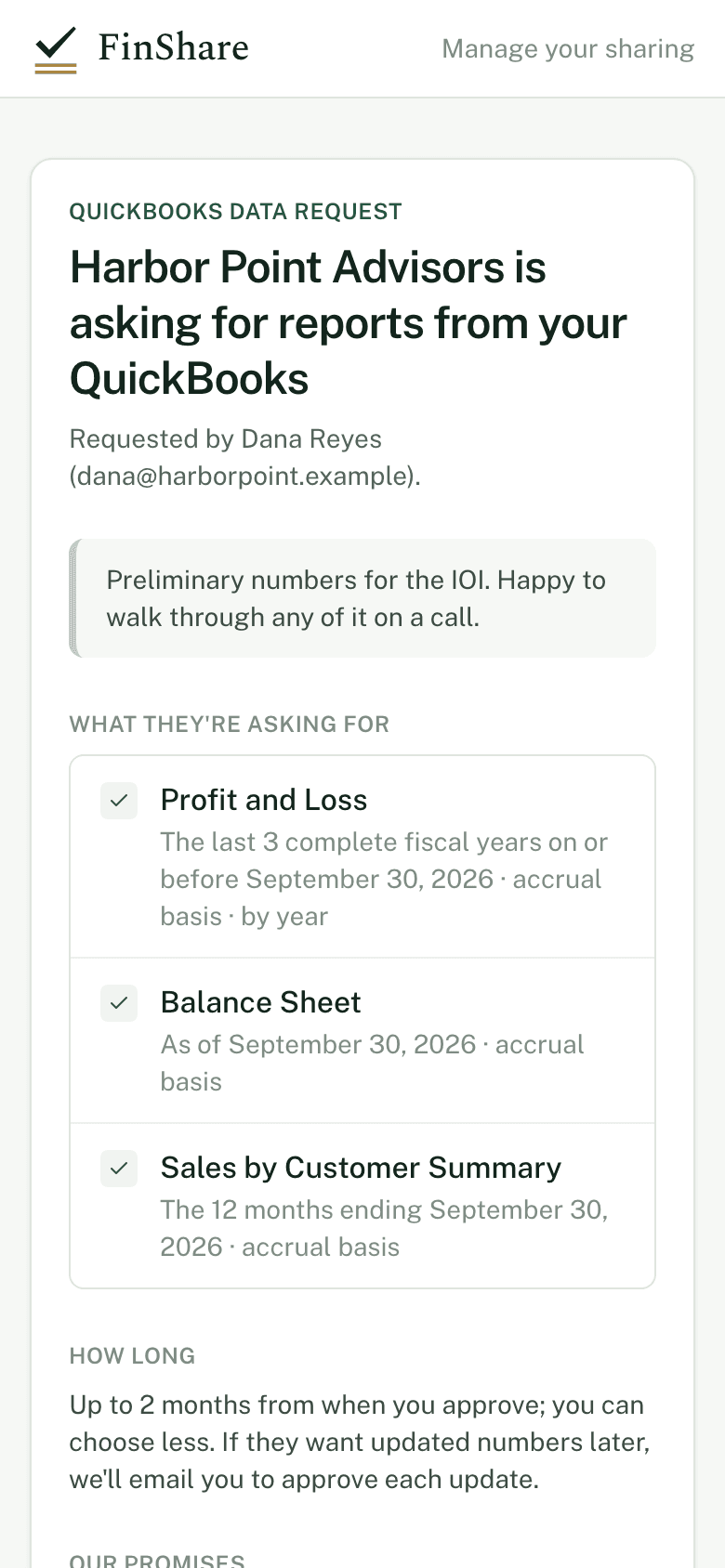
Instead of a login
Better than adding them to your QuickBooks.
No one is added to your QuickBooks
You don't create a user or send an accountant invite. The person asking never gets a login to your books.
They get the list, and only the list
FinShare pulls the reports you approved, for the periods you saw. Not payroll, not your customer list, not anything else.
It ends on a date you agreed to
You can choose a shorter window than they asked for. When it ends, FinShare revokes its own connection to your QuickBooks.
Nothing in your books changes
FinShare only reads reports. It can't create, edit or delete anything in QuickBooks.
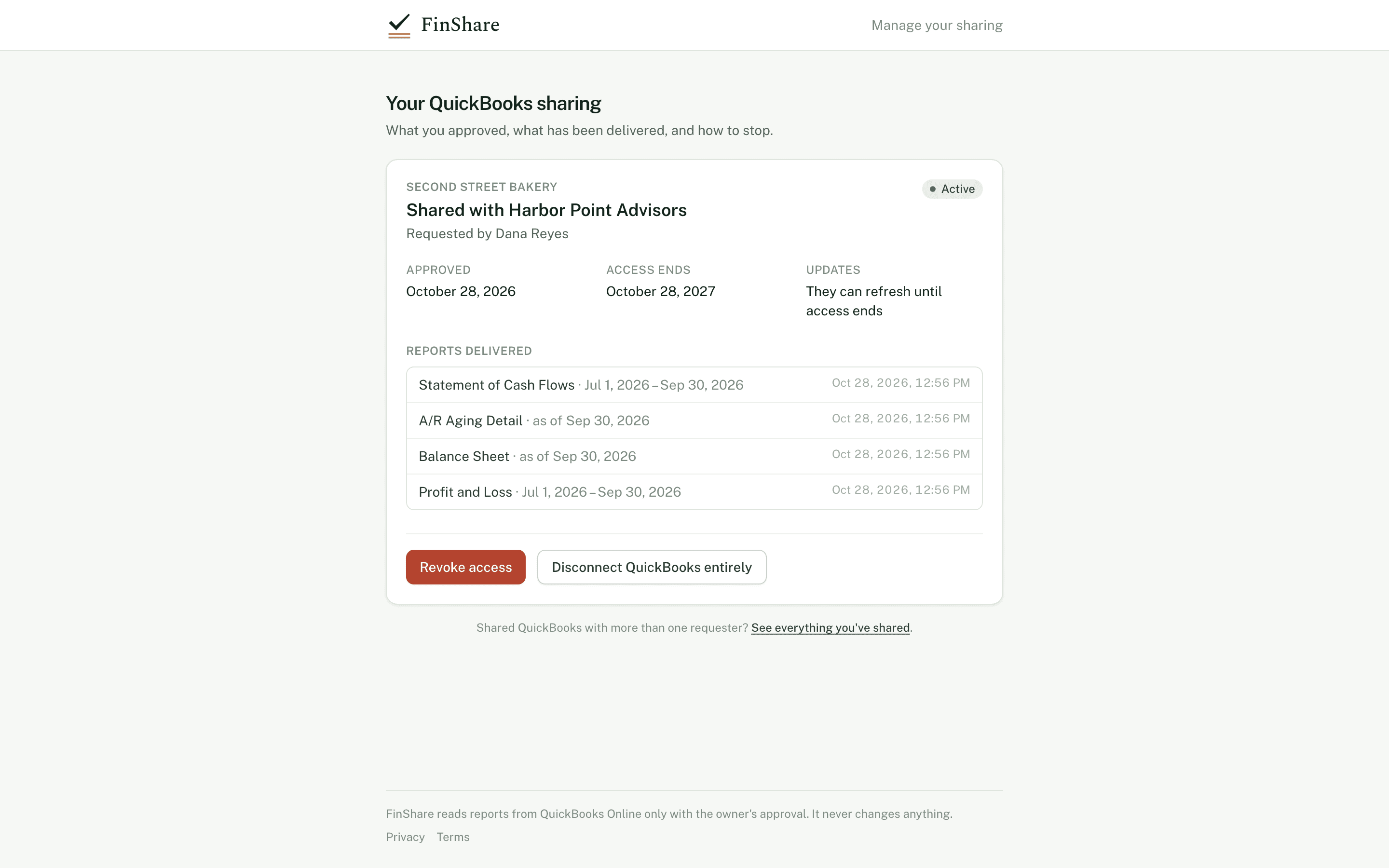
Step one
You see the whole request before anything happens.
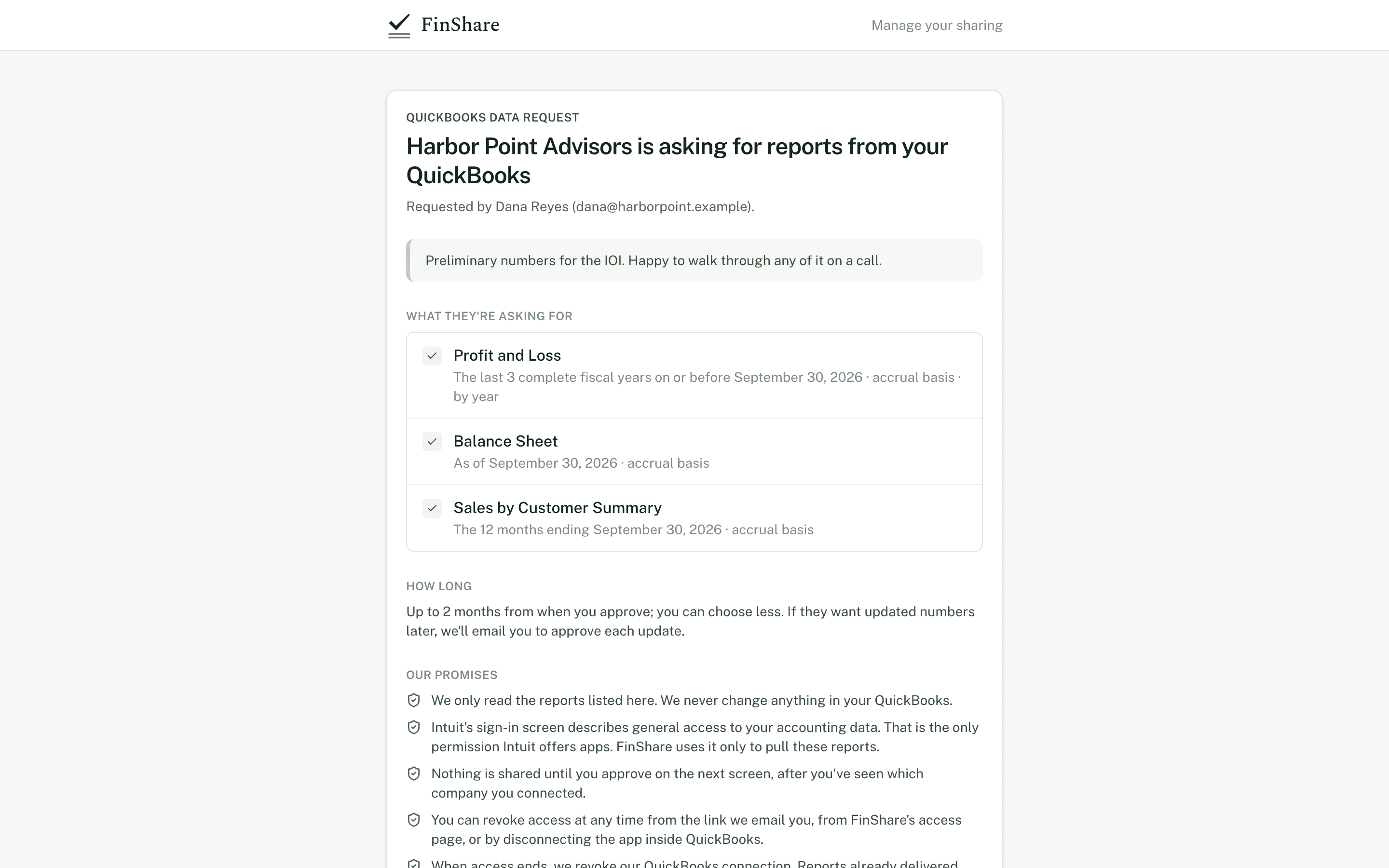
Our promises
The same words on every approval page.
Each approval records which version of this wording you saw.
- We only read the reports listed here. We never change anything in your QuickBooks.
- Intuit's sign-in screen describes general access to your accounting data. That is the only permission Intuit offers apps. FinShare uses it only to pull these reports.
- Nothing is shared until you approve on the next screen, after you've seen which company you connected.
- You can revoke access at any time from the link we email you, from FinShare's access page, or by disconnecting the app inside QuickBooks.
- When access ends, we revoke our QuickBooks connection. Reports already delivered stay with the requester.
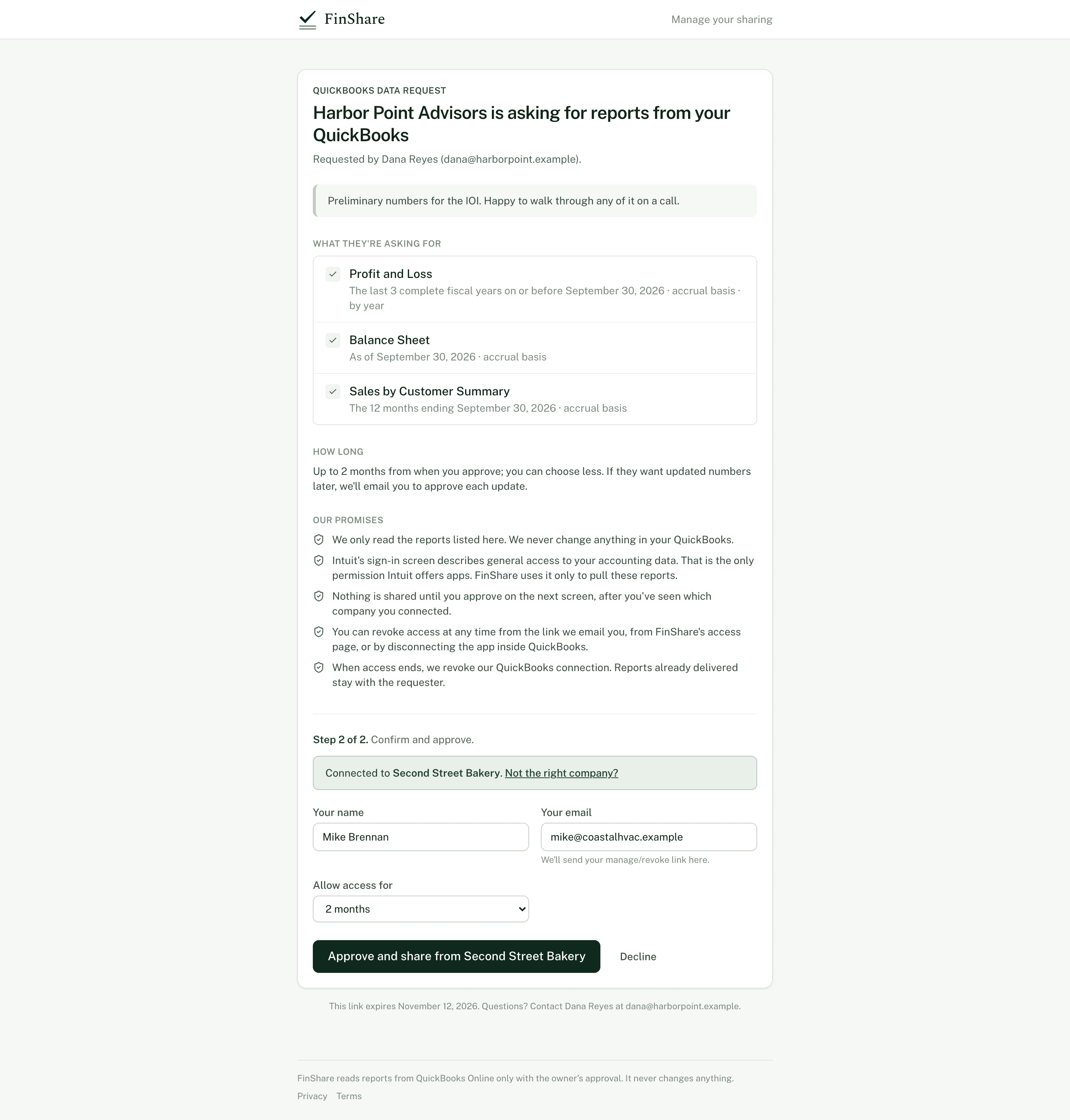
Afterwards
See what was shared, and stop it whenever you like.
We email you a link to your sharing page when you approve. Revoke there, from FinShare's access page, or by disconnecting the app inside QuickBooks.
Questions
What owners usually ask.
- Do I need a FinShare account?
- No. Everything happens from the link in the email. To see everything you've shared later, enter your email on FinShare's access page and we'll send you a link.
- Why does Intuit's screen say the app can access my accounting data?
- That is the only permission Intuit offers apps. FinShare uses it only to read the reports on the request you approved, and it never changes anything in QuickBooks.
- What do I need?
- QuickBooks Online, and admin rights in the company you're sharing from. QuickBooks Desktop isn't supported.
- What happens to reports already delivered if I revoke?
- They stay with the person who requested them. Revoking stops anything further from being pulled.
- Will they ask again for updated numbers?
- If they need a later period, you'll get an email to approve it, unless you agreed to let them refresh until your access end date.
Reading
More for owners.
For owners · 7 min
Sharing QuickBooks with a buyer or lender: How to keep control
For business owners asked to share QuickBooks: the ways to share, what to ask first, how long access should last, and how to revoke it when you're done.
Diligence · 6 min
Accrual vs cash basis in QuickBooks: Why it matters when you ask
How QuickBooks Online switches between accrual and cash basis, what moves between them, which reports take a basis, and how to state it in a request.
Reporting · 6 min
How to get QuickBooks reports without asking for exports
Why exported QuickBooks reports go wrong (wrong basis, wrong dates, edited cells, cut-off GLs) and how to get clean reports straight from the books.