Companies lists every business that has approved a request from your team, and whether you can still pull from it. It's built from your requests, so there's nothing to set up.
app.finshare.io/app/companies
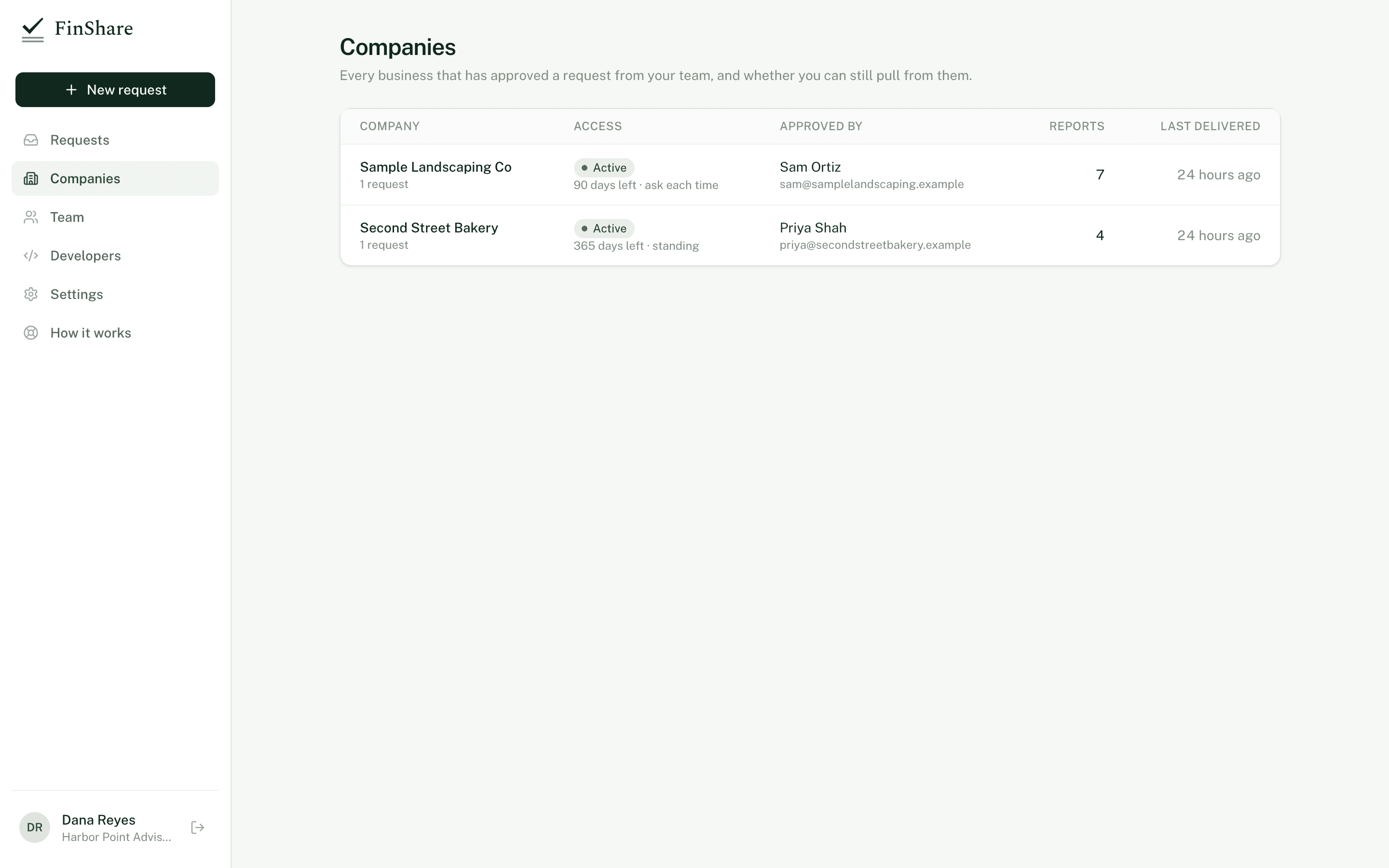
One row per QuickBooks company your team has received reports from.
What each column means
| Column | What it shows |
|---|---|
| Company | The QuickBooks company name, as it appeared when the owner connected, and how many requests your team has made to it. Click it to open the live request, or the first request if none is live. |
| Access | Active with days left and "standing" or "ask each time" if you have a live approval. Needs reconnect if the QuickBooks connection lapsed. Ended if no approval is live. |
| Approved by | The name and email of the person who approved. |
| Reports | How many reports have been delivered from this company across all your team's requests. |
| Last delivered | When the most recent round finished. |
Companies with live access are listed first.
A company appears here only after an owner approves. Requests still waiting on the owner, declined, or cancelled before approval aren't listed, because there's no company name until someone connects.
Using it
- Before asking again. If a company shows Active, open its request and refresh or roll forward instead of sending a new request. The owner won't have to connect again.
- When access has ended. Send a new request. The owner reviews it from scratch.
- When it says Needs reconnect. FinShare has already emailed the owner a reconnect link. Refresh and roll forward stay paused until they reconnect. Reports already delivered are unaffected.