This walks you through creating an account and sending one request. It takes a few minutes. The owner's side takes them about as long.
Create an account
Go to app.finshare.io/signup and create an account with your work email. Your organization name is what owners see at the top of the request: "<your organization> is asking for reports from your QuickBooks." Use the name they'd recognize. You can change it later in Settings.
If a colleague already uses FinShare, ask them to invite you instead. See Team.
Send your first request
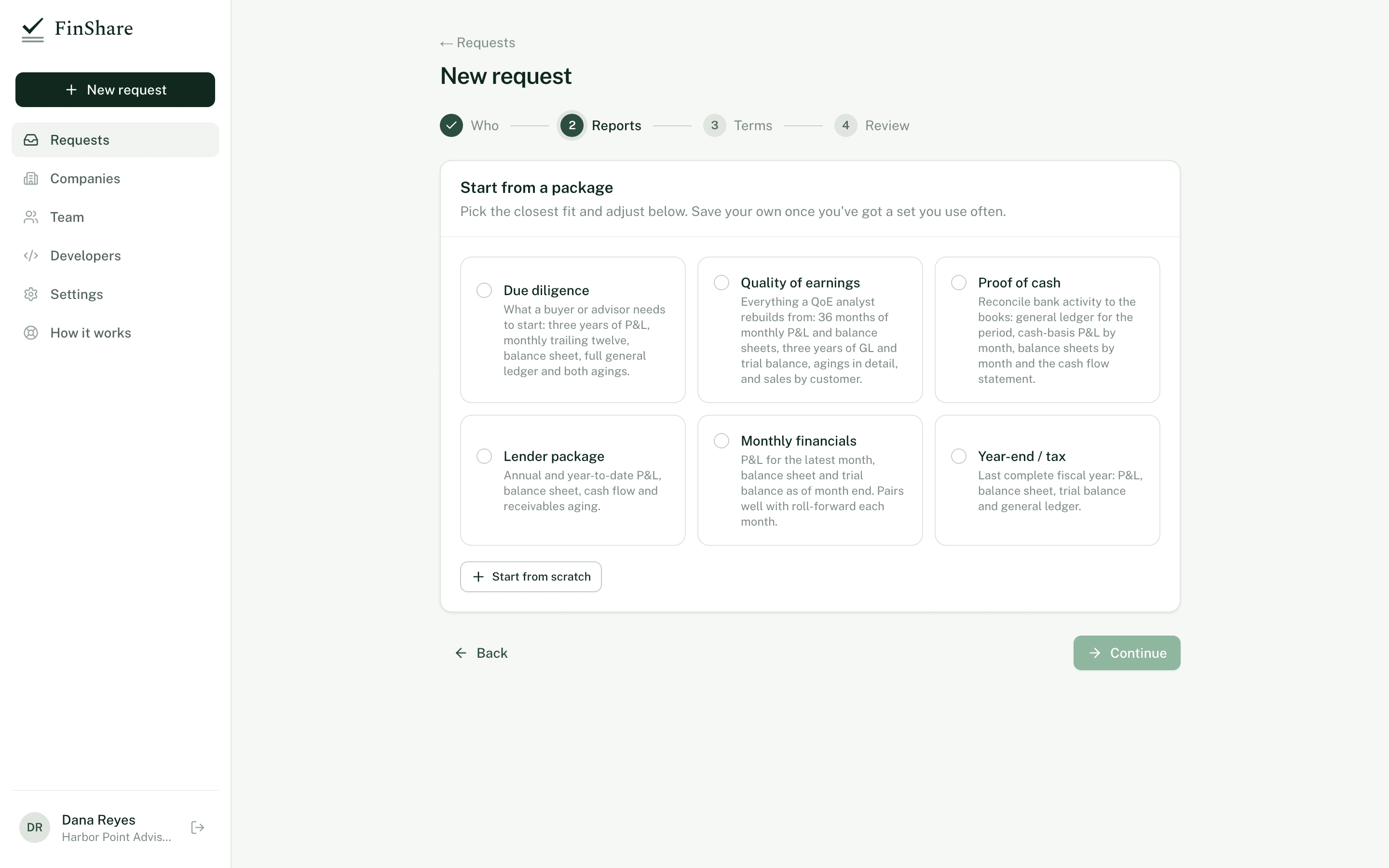
New request runs in four steps.
Click New request. The wizard has four steps.
- Who. Enter the name and email of whoever administers the company's QuickBooks. They need to be a QuickBooks admin to approve. Leave Email them the request from FinShare checked to have FinShare send it, or uncheck it to get a link you can send yourself. Edit the message to the owner. It's shown on the review page and in the email, so say who you are and why you're asking.
- Reports. Pick a package to start from, or Start from scratch. Each line is one report: choose the report, the period, the basis (accrual or cash, where the report supports it) and the columns (total, monthly, quarterly or yearly, where supported). Then set the Period end. Relative periods are measured from this date. It defaults to the last completed month end.
- Terms. Choose how long you need access: 1 month, 2 months, 3 months, 6 months or 1 year. Then choose how updates work: Ask the owner each time (the default) or Standing approval.
- Review. You see the request exactly as the owner will see it. Click Send request (or Create request if you're sending the link yourself).
After you send it, FinShare shows the owner's link. You can copy it even if FinShare emailed it. The link expires after 14 days. You can issue a new one from the request page at any time.
Packages
Packages are starting points. Pick one, then add, remove or change lines.
| Package | What's in it |
|---|---|
| Due diligence | P&L for the last 3 fiscal years by year, P&L trailing 12 months by month, balance sheet as of period end, general ledger for the trailing 12 months, A/R and A/P aging summaries |
| Quality of earnings | P&L and balance sheet for the trailing 36 months by month, general ledger for 36 months, trial balance for the last 3 fiscal years by year, cash flow for 36 months by month, A/R and A/P aging detail, sales by customer for 36 months by year |
| Proof of cash | General ledger for the trailing 12 months, P&L trailing 12 months by month on both cash and accrual basis, balance sheets by month, cash flow by month |
| Lender package | P&L for the last 2 fiscal years by year, P&L year to date by month, balance sheet as of period end, cash flow year to date by month, A/R aging summary |
| Monthly financials | P&L for the latest month, balance sheet as of month end, trial balance for the month |
| Year-end / tax | P&L, trial balance and general ledger for the last complete fiscal year, balance sheet as of period end |
Once you have a set you use often, click Save as template. Templates are shared with everyone on your team and appear under Your team's templates in the package list. Deleting a template doesn't affect requests already sent.
A request can have up to 25 reports.
What happens next
- The request shows Waiting on owner on your Requests page. Once the owner opens the link, the request page says so.
- When the owner approves, you get an email and FinShare starts pulling. Reports usually arrive within a few minutes.
- When they're ready, you get another email. Open the request and download each report, or click Download all for a zip of the Excel files.
If the owner declines, you're told, and nothing is shared. You can create a new request.