A request has one status. Each pull on it (the first one, and every refresh or roll forward) is a round with its own status. The Requests page groups requests into tabs: Waiting on owner, Active and Closed, plus Needs attention when something needs you.
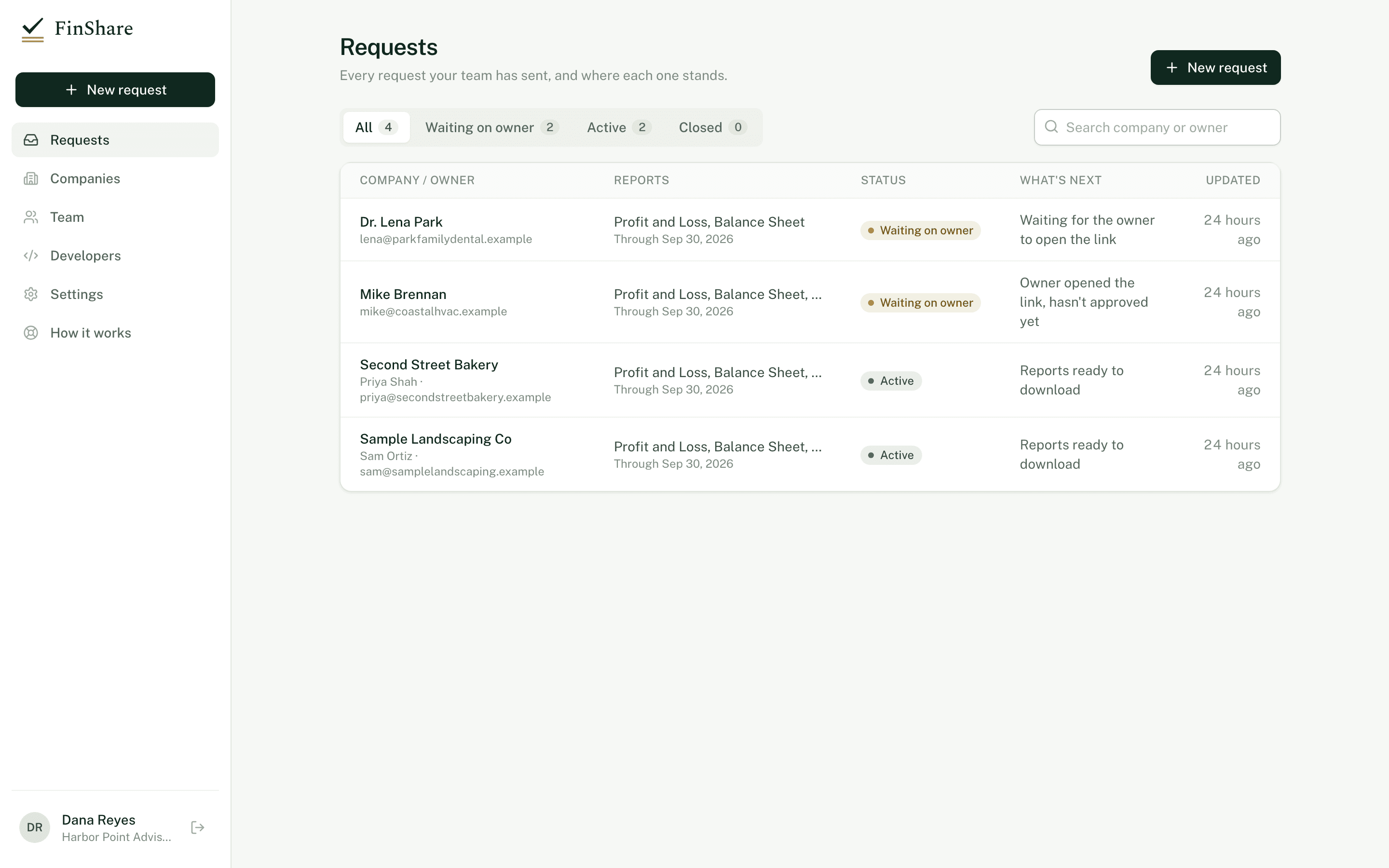
The Requests page. The What's next column says what each request is waiting for.
Request statuses
| Status | API value | Meaning | What you can do |
|---|---|---|---|
| Waiting on owner | awaiting_consent | Sent, not yet approved. | Copy or resend the link, issue a new one, or cancel. |
| Active | active | The owner approved and the access window is open. | Download, refresh, roll forward, stop access. |
| Declined | declined | The owner declined. Nothing was shared. | Create a new request if you want to ask again. |
| Ended | expired | The access window ran out. | Download what was delivered. Send a new request for more. |
| Revoked | revoked | Access was ended early, by the owner or by you. | Download what was delivered. |
| Cancelled | cancelled | You withdrew the request before the owner approved. | Nothing. |
A request waiting on the owner whose link has expired stays Waiting on owner, and the What's next column says "Link expired. Send a new one." It moves to Needs attention. Click New link on the request page to issue a fresh one; the old link stops working.
Round statuses
| Status | API value | Meaning |
|---|---|---|
| Awaiting approval | awaiting_approval | A refresh or roll forward is waiting for the owner. |
| Queued | approved | Approved, pulls are queued. |
| Pulling | pulling | Reports are being pulled from QuickBooks. |
| Delivered | delivered | Every report in the round tied out and is ready. |
| Partly delivered | partially_delivered | Some reports are ready; at least one wasn't delivered. |
| Failed | failed | No report in the round could be delivered. |
| Declined | declined | The owner declined this update. Earlier reports are unchanged. |
| Cancelled | cancelled | The update was waiting for approval when access ended or the request was cancelled. |
The request page polls while a round is queued or pulling, so you can leave it open.
Report statuses
Inside a round, each report is one of:
- Ties out, with XLSX, CSV and JSON buttons. Hover over it to see how many checks passed.
- Didn't tie out; not delivered. See Tie-out.
- Couldn't be pulled, with the reason.
Needs attention
A request lands in Needs attention when:
- its link expired before the owner approved;
- the QuickBooks connection lapsed and the owner has been asked to reconnect;
- the last round was partly delivered or failed;
- the owner declined the last update.
The timeline
Each request page has a Timeline: request created, owner opened the link, approved (with the company name), each round and its outcome, and when access ends or ended. Times show in your time zone.
Emails you'll get
If Email me about my requests is on in Settings, FinShare emails you when the owner approves or declines, when a round is delivered (fully, partly or not at all), when the owner declines an update, when the owner revokes access, and when the QuickBooks connection lapses. You get these for requests you created.
Related
- Access windows and refresh
- Webhooks for the same events in your own systems